
What Is Site Speed Optimization?
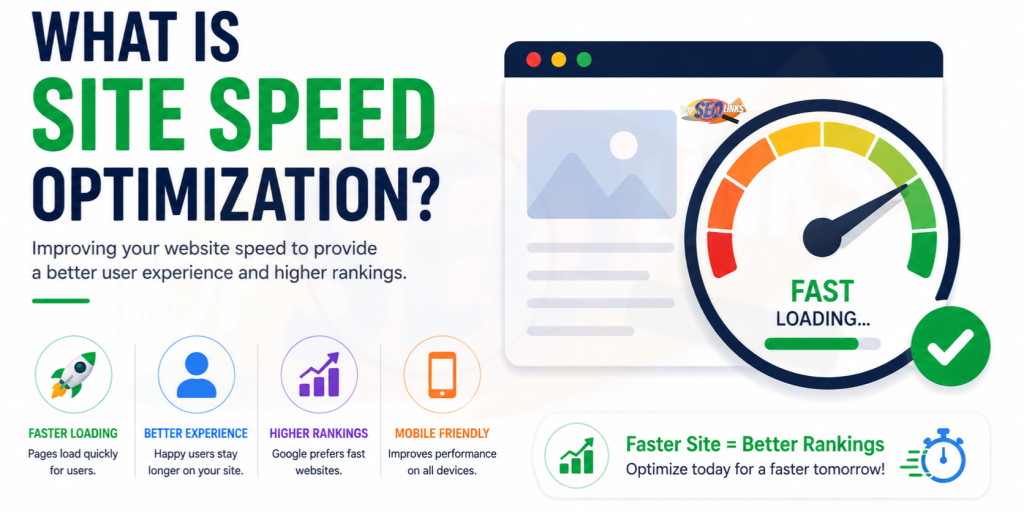
What is Site Speed Optimization? Site speed optimization means improving your website so it loads faster for visitors. When a website opens quickly, people can read, click, shop, and contact you without waiting too long. A slow website can make visitors leave before they even see your content. Site speed optimization is important for SEO, user experience, conversions, and business growth.
At Topseolinks.com, we help businesses improve website speed, fix technical SEO problems, and make websites easier for users and search engines to understand.
Want expert SEO help for your website? Start with our special offer: Free SEO for 1st Month
Why Website Speed Matters for Every Business
A fast website helps visitors use your site without waiting. When pages open quickly, people can read your content, check your services, fill out forms, shop online, or contact your business easily.
A slow website does the opposite. It can make people leave before they understand what you offer. This can reduce traffic, leads, sales, and trust.
Think of your website like a shop. If the shop door takes too long to open, customers may leave and go somewhere else. Your website works the same way. If pages load slowly, visitors may get annoyed and choose another website.
Site speed optimization helps your website become:
- Faster for users
- Easier to browse
- Better for mobile visitors
- More helpful for search engines
- Stronger for leads and sales
- Cleaner from a technical SEO point of view
A fast website gives users a smoother experience. It also helps search engines crawl and understand your website better.
Why Site Speed Optimization Matters
Website speed is not only a technical thing. It directly affects how people feel when they visit your website.
If your website loads fast, visitors can quickly find what they need. They can read your blog, check your services, fill out a form, or buy a product without delay.
If your website is slow, visitors may leave. This can reduce traffic, leads, sales, and trust.
It Improves User Experience
People like fast websites. Nobody wants to wait for a page to load. If a website opens quickly, users feel more comfortable and are more likely to stay.
A fast website helps users:
- Read content easily
- Click pages smoothly
- View images faster
- Open service pages quickly
- Complete forms without frustration
- Shop without delay
- Trust the website more
Good user experience is important because your website is often the first impression of your business.
It Supports SEO Performance
Search engines want to show helpful pages to users. A fast website can support better SEO because it improves the overall page experience.
Site speed alone is not the only reason a page ranks. Content quality, backlinks, search intent, keywords, technical SEO, and user experience also matter. But speed is still an important part of a healthy website.
If your website is slow, search engines may crawl fewer pages, users may leave quickly, and your important pages may not perform as well as they should.
For a better understanding of technical website improvements, you can read What is Technical SEO?
It Can Increase Leads and Sales
A fast website can help more visitors become customers.
For example, if someone visits your service page and it loads quickly, they may read your offer and contact you. But if the page takes too long to open, they may leave before seeing your service.
This matters for:
- Business websites
- Ecommerce stores
- Service pages
- Landing pages
- Blog posts
- Contact pages
- Booking pages
- Lead generation forms
Speed can make the path from visitor to customer much smoother.
It Helps Mobile Users
Many people use mobile phones to browse websites. Mobile internet can sometimes be slower than desktop internet, so your website must load well on mobile devices.
A site that loads fine on a computer may still be slow on a mobile phone. That is why mobile speed optimization is very important.
Mobile users expect pages to open quickly, buttons to work smoothly, and images to load without delay.
Common Signs Your Website Is Slow
A website may look normal, but still have speed problems. Many website owners do not notice the issue because they visit their own website often and the browser may save some files.
Here are common signs of a slow website:
- Pages take many seconds to open
- Images load slowly
- Buttons take time to respond
- The website feels heavy on mobile
- Visitors leave quickly
- Contact forms load slowly
- Product pages take time to open
- Google tools show poor speed scores
- Website pages jump while loading
- Fonts or images appear late
- Checkout pages feel slow
- Blog posts take too long to display
If you see these signs, your website may need speed optimization.
Main Parts of Site Speed Optimization
Site speed optimization has many parts. Some are simple, and some need expert help. A good speed improvement plan checks the full website, not just one page.
| Speed Optimization Area | What It Means | Why It Matters |
|---|---|---|
| Image optimization | Making images lighter and faster to load | Large images are one of the biggest reasons websites become slow |
| Code optimization | Cleaning HTML, CSS, and JavaScript | Extra code can slow down loading |
| Caching | Saving parts of the website for faster repeat visits | Returning visitors can open pages faster |
| Hosting improvement | Using a faster and more reliable server | Slow hosting can make the whole website slow |
| Mobile optimization | Making the site load well on phones | Many users browse from mobile devices |
| Font optimization | Loading only needed fonts | Too many fonts can slow the page |
| Script control | Reducing heavy third-party tools | Extra scripts can delay page loading |
| Database cleanup | Removing unnecessary data | A clean database can improve performance |
What Makes a Website Slow?
A slow website can have many causes. Sometimes the problem is one large image. Sometimes the problem is poor hosting. Sometimes it is a mix of many small issues.
1. Large Images
Large image files are one of the most common reasons websites load slowly.
For example, if your homepage has five large banner images, the browser must download all of them. This can take time, especially on mobile internet.
To fix this:
- Compress images
- Use proper image sizes
- Use modern image formats when possible
- Avoid uploading very large photos
- Add lazy loading for below-the-fold images
- Use only necessary images
Images should look clear, but they should not be too heavy.
2. Too Much JavaScript
JavaScript helps websites do interactive things. It can run sliders, forms, popups, menus, tracking tools, chat widgets, and animations.
But too much JavaScript can slow down a website.
Common heavy scripts include:
- Popup tools
- Live chat widgets
- Tracking codes
- Large sliders
- Animation plugins
- Social media embeds
- Unused theme scripts
Not every script is bad. But unnecessary scripts should be removed or controlled.
3. Poor Hosting
Hosting is where your website files are stored. If your hosting server is slow, your website will also be slow.
Cheap or overloaded hosting may cause:
- Slow server response
- Frequent downtime
- Poor loading during traffic spikes
- Weak performance for global visitors
- Slow admin panel
Good hosting is important for site speed, especially for business websites and ecommerce stores.
4. Too Many Plugins
For WordPress websites, plugins can add useful features. But too many plugins can make the website heavy.
Some plugins add extra code, scripts, styles, database entries, and tracking files.
A plugin should be used only when it is needed. Unused plugins should be removed.
5. Unoptimized CSS and HTML
CSS controls website design. HTML controls page structure. If these files are messy or too large, they can slow down the website.
Optimization can include:
- Removing unused CSS
- Minifying CSS
- Minifying HTML
- Loading important CSS first
- Avoiding too many design files
- Cleaning old theme code
6. Slow Database
A website database stores posts, pages, settings, users, orders, comments, and plugin data.
Over time, the database can become heavy because of:
- Old revisions
- Spam comments
- Unused tables
- Expired transients
- Old plugin data
- Unnecessary logs
A clean database can help the website work better.
7. No Caching
Caching helps a website load faster by saving ready-made versions of pages.
Without caching, the server may need to build the page again every time someone visits. This can slow down the website.
Caching is useful for:
- Blogs
- Service websites
- Ecommerce stores
- Landing pages
- Portfolio websites
- Business websites
8. Heavy Website Design
A beautiful design is good, but a very heavy design can hurt speed.
Slow design elements include:
- Large background videos
- Too many animations
- Heavy sliders
- Large image galleries
- Too many fonts
- Complex layouts
- Extra visual effects
A good website should look nice and load fast. Topseolinks.com can help businesses balance design, speed, and SEO through Professional Web Design Solutions.
Important Site Speed Terms Explained Simply
Site speed tools often show technical words. These words can feel confusing, but they are easier when explained simply.
| Term | Simple Meaning | Why It Matters |
|---|---|---|
| Page load time | How long the full page takes to load | Visitors do not like waiting |
| Server response time | How fast the server starts sending the page | Slow servers delay everything |
| Caching | Saving files so the site opens faster later | Helps repeat visitors and reduces server work |
| Lazy loading | Loading images only when needed | Makes the first page view faster |
| Compression | Making files smaller | Smaller files load faster |
| Minification | Removing extra spaces and code from files | Helps code load faster |
| Core Web Vitals | User experience speed measurements | Helps understand real page experience |
| CDN | A network that delivers files from closer servers | Helps global visitors load pages faster |
How Site Speed Optimization Helps SEO
Site speed optimization supports SEO in several ways. It does not replace good content, keyword research, backlinks, or technical SEO. But it makes your website stronger.
Faster Pages Keep Visitors Longer
If your page opens quickly, people are more likely to stay and read. They may visit more pages, click internal links, and contact your business.
When users have a better experience, your website can perform better overall.
Search Engines Can Crawl Better
Search engines crawl websites to find pages. If a website is slow or full of errors, crawling can become less efficient.
A faster and cleaner website helps search engines access pages more smoothly.
Better Mobile Experience
Mobile SEO is very important. A fast mobile website can help users browse easily. If mobile pages are slow, visitors may leave quickly.
Site speed optimization helps make mobile browsing smoother.
Better Conversion Rate
SEO is not only about ranking. It is also about turning visitors into leads or customers.
A fast website helps users take action faster.
They may:
- Fill out a contact form
- Call your business
- Buy a product
- Book a service
- Read more pages
- Request a quote
This is why speed matters for both rankings and revenue.
How to Check Your Website Speed
Before improving speed, you need to test your website.
You can check:
- Homepage speed
- Service page speed
- Blog page speed
- Product page speed
- Category page speed
- Mobile speed
- Desktop speed
- Checkout speed
- Contact page speed
Do not test only one page. A homepage may be fast, but product pages may be slow. A blog may be fast, but the checkout may be slow.
Check Mobile and Desktop Separately
Mobile and desktop speed can be different. A page that loads quickly on desktop may load slowly on mobile.
Always test both.
Check Important Pages First
Start with pages that matter most for your business.
These include:
- Homepage
- Main service pages
- Product pages
- Category pages
- Landing pages
- Contact page
- Checkout page
- High-traffic blog posts
Check After Changes
Speed optimization is not a one-time task. After adding new plugins, images, designs, or tracking codes, test again.
A website can become slow again if it is not maintained.
Step-by-Step Site Speed Optimization Process
Site speed optimization should be done carefully. Random changes can break a website. A proper process helps improve speed safely.
Step 1: Test Website Speed
First, check how fast your website loads. Test important pages on both mobile and desktop.
Look for:
- Slow page load time
- Large image files
- Heavy scripts
- Poor mobile score
- Layout shifts
- Slow server response
- Unused code
- Render-blocking resources
This gives you a clear starting point.
Step 2: Compress Images
Images should be clear but not too large.
You can improve images by:
- Reducing file size
- Using the right image dimensions
- Avoiding oversized banners
- Using next-gen image formats when possible
- Adding lazy loading
- Removing unused images
For example, do not upload a 4000px image if your website only displays it at 800px.
Step 3: Enable Caching
Caching helps pages load faster for repeat visitors.
It can save:
- Page files
- Browser files
- CSS files
- JavaScript files
- Images
- Static resources
With caching, the browser does not need to download everything again and again.
Step 4: Minify CSS, JavaScript, and HTML
Minification removes extra spaces, comments, and unnecessary parts from code files.
This makes files smaller and faster to load.
Minification can help with:
- CSS files
- JavaScript files
- HTML files
But it should be done carefully because wrong settings can break design or functions.
Step 5: Remove Unused Plugins
If your website uses WordPress or another CMS, check your plugins.
Remove plugins that are:
- Unused
- Outdated
- Duplicating features
- Heavy
- Poorly coded
- Not needed anymore
Fewer quality plugins are better than many unnecessary plugins.
Step 6: Use Better Hosting
If your server is slow, other fixes may not be enough.
Good hosting can improve:
- Server response time
- Website stability
- Uptime
- Security
- Speed during traffic growth
Business websites should not depend on very weak hosting.
Step 7: Use a CDN
A CDN, or Content Delivery Network, helps deliver website files from servers closer to users.
For example, if your website server is in one country and a visitor is in another country, a CDN can help load files faster.
A CDN is useful for websites with visitors from different cities, states, or countries.
Step 8: Reduce Redirects
Redirects send users from one URL to another. Sometimes redirects are needed. But too many redirects can slow down loading.
Example:
Page A → Page B → Page C
This is called a redirect chain.
Better:
Page A → Page C
Clean redirects help pages load faster and improve technical SEO.
Step 9: Optimize Fonts
Fonts can make a website look beautiful, but too many fonts can slow it down.
Use:
- Fewer font families
- Fewer font weights
- Proper font loading
- System fonts when suitable
- Only the fonts your design really needs
Step 10: Improve Mobile Design
Mobile speed is very important.
To improve mobile speed:
- Use lightweight design
- Avoid large popups
- Reduce heavy sliders
- Compress mobile images
- Make buttons easy to tap
- Keep layout clean
- Avoid unnecessary animations
- Use simple menus
A fast mobile website helps users browse easily.
Step 11: Clean the Database
For CMS websites, database cleanup can help.
Clean:
- Spam comments
- Old post revisions
- Deleted plugin data
- Expired temporary data
- Unused tables
- Old logs
Database cleanup should be done carefully. Always take a backup first.
Step 12: Monitor Speed Regularly
After optimization, keep checking your website.
Speed can become worse again when:
- New plugins are added
- Large images are uploaded
- New scripts are installed
- Theme updates happen
- Hosting becomes overloaded
- More content is added
Regular monitoring helps keep the website healthy.
Site Speed Optimization Checklist
| Task | Why It Helps | Priority |
|---|---|---|
| Compress images | Reduces page size | High |
| Enable caching | Helps pages load faster | High |
| Improve hosting | Reduces server delay | High |
| Minify code | Makes files smaller | Medium |
| Remove unused plugins | Reduces website weight | High |
| Use CDN | Helps users in different locations | Medium |
| Optimize fonts | Reduces loading delay | Medium |
| Clean database | Improves backend performance | Medium |
| Reduce redirects | Makes pages open faster | Medium |
| Test mobile speed | Improves mobile user experience | High |
| Review scripts | Removes unnecessary loading | High |
| Monitor regularly | Keeps speed stable over time | High |
Site Speed Optimization for WordPress Websites
WordPress websites are popular, but they can become slow if not managed properly.
Common WordPress speed issues include:
- Too many plugins
- Heavy themes
- Large images
- Poor hosting
- No caching
- Unused CSS
- Slow page builders
- Too many database revisions
- Heavy sliders
- Unoptimized fonts
To improve WordPress speed:
- Use a lightweight theme
- Keep plugins limited
- Delete unused plugins
- Use caching
- Compress images
- Clean database
- Update WordPress safely
- Avoid too many animations
- Use fast hosting
- Test after every major update
A WordPress website should be simple, clean, and fast.
Site Speed Optimization for Ecommerce Websites
Ecommerce websites need special care because they have product pages, filters, carts, checkout pages, images, reviews, tracking tools, and payment features.
A slow ecommerce site can hurt sales because buyers may leave before completing a purchase.
Important ecommerce speed areas include:
- Product image compression
- Fast product page loading
- Smooth cart experience
- Fast checkout process
- Optimized category pages
- Limited third-party scripts
- Clean product filters
- Mobile-friendly buying process
- Fast search function
- Stable hosting
If an ecommerce product page is slow, customers may not wait. If the checkout is slow, they may abandon the cart.
Site speed optimization can help improve the shopping experience and reduce lost sales.
Site Speed Optimization for Business Websites
Business websites need speed because visitors often want quick answers.
They may want to know:
- What services you offer
- Where your business is located
- How to contact you
- How much your service costs
- Why they should trust you
- How to request a quote
If your service pages load slowly, visitors may leave before contacting you.
For service-based businesses, speed optimization should focus on:
- Homepage
- Service pages
- About page
- Contact page
- Lead forms
- Blog posts
- Location pages
- Landing pages
Topseolinks.com helps businesses improve these important pages through Professional SEO Services, technical fixes, content improvements, and performance-focused planning.
Common Site Speed Optimization Mistakes
Many website owners try to improve speed but make mistakes. These mistakes can hurt design, SEO, or website functions.
Only Testing the Homepage
Your homepage is important, but it is not the only page that matters.
You should also test:
- Service pages
- Product pages
- Blog posts
- Contact page
- Category pages
- Checkout page
Compressing Images Too Much
Images should be smaller, but they should still look clear. If you compress images too much, they may look blurry and unprofessional.
Removing Important Scripts
Some scripts are needed for forms, menus, payments, tracking, or design. Removing them without testing can break website features.
Using Too Many Speed Plugins
Adding many speed plugins can create conflicts. One well-configured plugin is often better than several tools doing the same job.
Ignoring Mobile Speed
A website may look fast on office Wi-Fi but slow on mobile data. Always check mobile performance.
Choosing Cheap Hosting Only to Save Money
Low-quality hosting can slow down your full website. Good hosting is an investment in user experience and SEO.
Not Taking Backup Before Changes
Some speed changes affect code and design. Always take a backup before major optimization work.
How Topseolinks.com Helps With Site Speed Optimization
Topseolinks.com helps businesses improve website speed with a proper SEO and technical process. We do not guess. We check the real problems and fix them step by step.
1. We Audit Your Website Speed
We check your important pages, mobile performance, desktop performance, images, scripts, hosting response, plugins, code, and technical SEO settings.
2. We Find What Is Slowing Your Website
Every website is different. One website may be slow because of images. Another may be slow because of hosting. Another may be slow because of plugins or code.
We find the real cause before applying fixes.
3. We Optimize Important Pages First
We focus on pages that matter most, such as:
- Homepage
- Service pages
- Contact page
- Product pages
- Category pages
- Landing pages
- High-traffic blog posts
This helps your website improve where it matters most.
4. We Improve User Experience and SEO Together
Speed is not only about scores. A website should also look good, work properly, and help users take action.
Topseolinks.com focuses on speed, SEO, usability, and business results together.
5. We Help Keep Your Website Fast
Speed optimization needs regular care. New images, plugins, scripts, and content can slow a website again.
Our team can help monitor your website and keep it healthy over time.
How Often Should You Check Website Speed?
You should check your website speed regularly, especially after major changes.
Check speed:
- After adding new plugins
- After uploading large images
- After redesigning pages
- After changing hosting
- After adding tracking codes
- After installing a new theme
- After adding ecommerce features
- After website migration
- Every month for important business websites
A website can become slow over time. Regular checks help you fix problems before they hurt traffic and conversions.
Build a Faster Website That Users and Search Engines Can Trust
Site speed optimization helps your website load faster, feel smoother, and perform better for users. It improves user experience, supports SEO, helps mobile visitors, and can increase leads and sales.
A fast website is easier to use. Visitors can open pages quickly, read information without delay, and contact your business faster.
At Topseolinks.com, we help businesses improve website speed through SEO audits, technical SEO fixes, image optimization, page improvements, web design support, and long-term website performance planning.
Ready to make your website faster and better for SEO? Contact Us
FAQs
What is site speed optimization?
Site speed optimization means improving a website so its pages load faster for users. It includes image compression, caching, code cleanup, better hosting, mobile optimization, and other speed improvements.
Why is site speed optimization important for SEO?
Site speed optimization is important for SEO because a fast website gives users a better experience. It can help visitors stay longer, reduce frustration, support crawling, and improve overall website performance.
What makes a website slow?
A website can become slow because of large images, poor hosting, too many plugins, heavy JavaScript, unoptimized code, no caching, large fonts, too many redirects, or a messy database.
How can I improve my website speed?
You can improve website speed by compressing images, enabling caching, removing unused plugins, using better hosting, minifying code, optimizing fonts, using a CDN, and testing your website regularly.
Is site speed important for mobile users?
Yes, site speed is very important for mobile users. Many people browse websites on phones, and slow mobile pages can make visitors leave quickly.
Can too many plugins slow down a website?
Yes, too many plugins can slow down a website, especially if they add heavy scripts, extra CSS, database entries, or duplicate features. It is better to use only necessary and trusted plugins.
Should I optimize every page on my website?
You should start with the most important pages, such as homepage, service pages, product pages, contact page, landing pages, and high-traffic blog posts. After that, optimize other pages step by step.
Can Topseolinks.com help with site speed optimization?
Yes. Topseolinks.com can audit your website, find speed problems, optimize important pages, improve technical SEO, support better web design performance, and help your website load faster.