
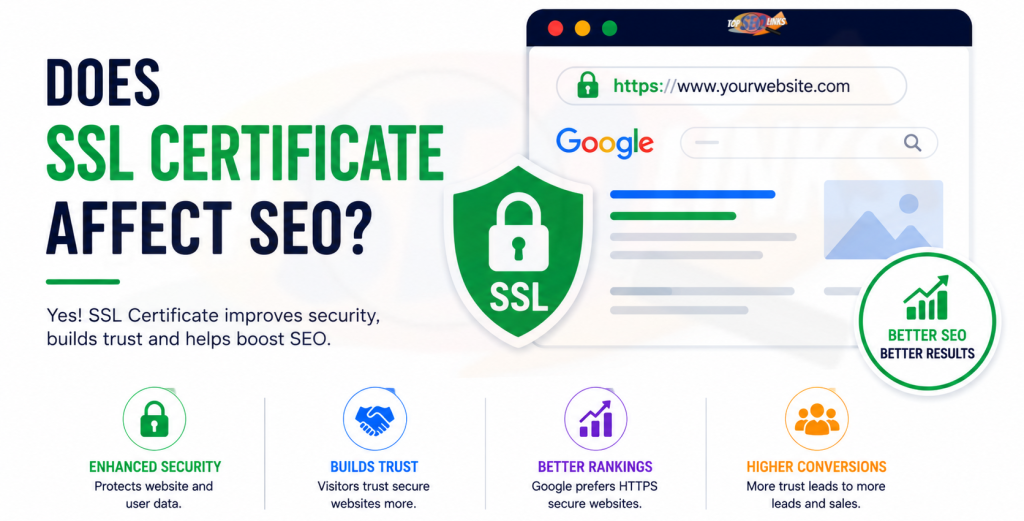
Does SSL Certificate Affect SEO?
Yes, an SSL certificate can affect SEO. It helps your website use HTTPS, which makes the website safer for visitors. It also builds trust, protects user data, and supports better page experience. But SSL alone will not make your website rank number one. Think of SSL like a strong lock on your shop door. A lock is important, but your shop also needs good products, clear signs, clean shelves, and helpful staff.
In the same way, your website needs SSL, fast loading speed, helpful content, mobile-friendly design, strong technical SEO, and proper backlinks. When all these things work together, your website becomes easier for users and search engines to trust.
An SSL certificate protects the connection between a visitor’s browser and your website. Without it, a browser may show “Not Secure.” This can scare visitors away, especially if your website has forms, payments, logins, contact pages, or checkout pages.
For SEO, trust matters a lot. If people leave your site quickly because they see a security warning, your business can lose traffic, leads, and sales. That is why every serious website should have SSL.
At Topseolinks.com, we help businesses check website security, fix HTTPS issues, improve technical SEO, and create a better search experience. Whether your website is new or old, SSL should be part of your SEO foundation.
Get started with our special offer: Free SEO for 1st Month
What Is an SSL Certificate?
An SSL certificate is a digital safety certificate for a website. SSL stands for Secure Sockets Layer. Today, many people also use the word TLS, which is the newer and stronger version. But in normal language, people still say SSL.
An SSL certificate helps change your website address from HTTP to HTTPS.
For example:
http:// example.com

https:// example.com
The “S” in HTTPS means “Secure.” It tells users and browsers that the website connection is protected.
When someone visits your website, their browser sends and receives information. This can include names, phone numbers, email addresses, passwords, payment details, or contact form messages. SSL helps keep this information safe while it moves between the browser and the website server.
Without SSL, the information can be easier for bad people to read or steal. With SSL, the information is encrypted. Encryption means the information is turned into a secret code. Only the right browser and server can understand it.
Simple Example of SSL
Imagine you write a private message on paper and send it through a busy street. Anyone can open it and read it.
Now imagine you put that message inside a locked box. Only the person with the key can open it.
SSL works like that locked box for your website data.
What Is HTTPS?
HTTPS means Hypertext Transfer Protocol Secure. It is the secure version of HTTP.
When a website uses HTTPS, visitors can feel safer because their connection is protected. Browsers also show signs of security, such as a padlock icon or security information in the address bar.
HTTPS helps with:
- Protecting visitor information
- Building trust
- Avoiding “Not Secure” browser warnings
- Supporting better user experience
- Improving technical SEO health
- Making websites safer for forms, logins, and online payments
If your website still uses HTTP, it may look old, unsafe, or unprofessional. Even if your content is good, users may not trust your website.
Does SSL Certificate Affect SEO Directly?
Yes, SSL can affect SEO directly because HTTPS is a known ranking signal. But it is usually a lightweight signal, not the biggest ranking factor.
This means HTTPS can help, but it is not magic.
A secure HTTPS website may have an advantage over an insecure HTTP website, especially when two pages are similar in quality. But if your content is poor, your website is slow, or your pages are not useful, SSL alone will not fix those problems.
What SSL Can Do for SEO
SSL can help your SEO by:
- Making your website secure
- Supporting Google’s page experience expectations
- Helping users trust your site
- Reducing fear from browser security warnings
- Protecting form and checkout data
- Supporting better conversions
- Creating a stronger technical SEO base
What SSL Cannot Do Alone
SSL cannot:
- Write better content for you
- Fix weak keywords
- Remove thin pages
- Build quality backlinks
- Improve your website speed by itself
- Guarantee first-page rankings
- Fix poor website structure
- Replace complete SEO work
That is why SSL should be treated as one important part of SEO, not the full SEO strategy.
If your website needs complete SEO improvement, Topseolinks.com can help with SEO Services that cover technical SEO, content SEO, on-page SEO, keyword planning, and performance tracking.
SSL Certificate and SEO: Quick Table
| SEO Area | How SSL Helps | Why It Matters |
|---|---|---|
| Website Security | Protects data between browser and server | Users feel safer on your site |
| Ranking Signal | HTTPS can support SEO | Gives a small ranking advantage |
| User Trust | Shows secure connection | Visitors are more likely to stay |
| Conversions | Makes forms and checkout safer | More users may contact or buy |
| Technical SEO | Helps create a secure website setup | Search engines can understand the correct version |
| Brand Image | Makes the site look professional | Builds confidence in your business |
Why Google Likes Secure Websites
Google wants users to have safe and helpful search results. If a website is unsafe, users may have a bad experience. They may lose private data or feel scared to use the site.
A secure website is not only good for search engines. It is also good for real people.
When someone searches on Google and clicks a result, they expect the website to be safe. If they see “Not Secure,” they may go back quickly and choose another website. This can hurt your website performance because users do not stay, read, contact, or buy.
HTTPS is one part of a good website experience. Other parts include mobile-friendliness, helpful content, fast loading, easy navigation, and clear page design.
So, SSL matters because it supports the full trust system of your website.
How SSL Helps Build User Trust
Trust is one of the biggest reasons SSL affects SEO indirectly.
A user may not understand technical SEO, indexing, crawling, or ranking signals. But they can understand a warning message. If their browser says your website is not secure, they may leave.
This is especially important for:
- Ecommerce websites
- Healthcare websites
- Finance websites
- Education websites
- Business service websites
- Login-based websites
- Websites with contact forms
- Websites collecting phone numbers or emails
If users do not trust your website, they may not take action. They may not fill out your form, call your business, sign up, or buy your product.
For SEO, traffic is not enough. Your website should also turn visitors into leads and customers. SSL helps support that.
SSL and Click-Through Rate
Click-through rate means how many people click your website when they see it.
SSL may not directly change how your title looks in Google every time, but it affects trust after users land on your site. Also, if users know your brand and your website is secure, they may feel more comfortable clicking it again.
A secure website can support better brand confidence. When users trust your website, they may return later. They may also share your pages with others.
This is why SSL is not just a technical thing. It is also a trust thing.
SSL and Bounce Rate
Bounce rate means people visit a page and leave without doing much else.
If your website shows a security warning, people may leave very fast. This can increase bounce rate and reduce engagement.
Let’s make it simple:
A visitor clicks your website.
The browser shows “Not Secure.”
The visitor feels worried.
The visitor leaves.
You lose a possible customer.
Even if bounce rate is not always a direct ranking factor in a simple way, poor user behavior can still show that your website experience is weak. A secure website helps remove one big reason for users to leave.
SSL and Conversions
Conversions happen when a visitor takes an action you want. This can be:
- Filling a contact form
- Calling your business
- Buying a product
- Signing up for a newsletter
- Booking an appointment
- Downloading a guide
- Creating an account
SSL helps conversions because people feel safer sharing information on secure websites.
For example, would you enter your card details on a website that says “Not Secure”? Most people would not.
SSL protects users and gives them more confidence. This is very important for ecommerce SEO and lead generation websites.
If you run an online store, SSL is a must. Topseolinks.com also supports businesses with Ecommerce SEO Service to improve product visibility, category pages, technical SEO, and secure shopping experiences.
SSL and Technical SEO
SSL is also part of technical SEO. Technical SEO means improving the behind-the-scenes parts of your website so search engines can crawl, index, and understand it better.
SSL problems can create SEO issues if they are not fixed correctly.
Common SSL and HTTPS technical SEO issues include:
- HTTP pages still loading
- HTTPS pages not redirecting properly
- Mixed content warnings
- Wrong canonical tags
- Duplicate HTTP and HTTPS versions
- Sitemap still using HTTP URLs
- Internal links still pointing to HTTP pages
- Old redirects creating redirect chains
- Expired SSL certificate
- Incorrect SSL installation
- Some pages secure and some pages not secure
These issues can confuse search engines and users.
If Google can access both HTTP and HTTPS versions, it may see duplicate versions of the same page. That is not good for clean SEO structure.
A proper HTTPS setup should make HTTPS the main version of your website.
You can learn more about the bigger technical side of search optimization from What Is Technical SEO?
How SSL Works With HTTPS Redirects
When you move from HTTP to HTTPS, your old HTTP pages should redirect to the new HTTPS pages.
For example:
http://yourwebsite.com/about


should redirect to


https://yourwebsite.com/about
This is usually done with a 301 redirect. A 301 redirect tells search engines and browsers that the page has moved permanently.
Without proper redirects, users may still land on the old HTTP version. Search engines may also keep old URLs in their index for longer.
Why Redirects Matter
Redirects help:
- Send users to the secure version
- Pass SEO value from old URLs to new URLs
- Avoid duplicate HTTP and HTTPS pages
- Keep website structure clean
- Help search engines understand the correct page
But redirects should be simple. Too many redirects can slow down your website.
Bad example:
HTTP page → old HTTPS page → www page → final page
Better example:
HTTP page → final HTTPS page
Clean redirects make your website faster and easier to crawl.
HTTP vs HTTPS for SEO
| Feature | HTTP Website | HTTPS Website |
|---|---|---|
| Security | Not secure | Secure connection |
| User Trust | Lower trust | Higher trust |
| Browser Warning | May show “Not Secure” | Usually shows secure connection |
| Data Protection | Weak | Stronger with encryption |
| SEO Support | Not recommended | Better for modern SEO |
| Ecommerce Safety | Risky | Needed for safe checkout |
| Brand Image | Looks outdated | Looks professional |
SSL Certificate Types
There are different types of SSL certificates. The right one depends on your website type.
Domain Validation SSL
This is the basic SSL certificate. It proves that you control the domain name. It is good for blogs, small websites, and basic business websites.
Organization Validation SSL
This checks the business or organization behind the website. It gives more trust than basic domain validation. It is useful for business websites that want stronger identity proof.
Extended Validation SSL
This has a deeper business check. It is often used by banks, finance companies, and large brands. It is not always needed for small websites, but it can help high-trust industries.
Wildcard SSL
This protects a main domain and its subdomains.
Example:
- example.com
- blog.example.com
- shop.example.com
- support.example.com
Multi-Domain SSL
This protects more than one domain with one certificate. It is useful for businesses managing multiple websites.
Which SSL Certificate Is Best for SEO?
For SEO, the main thing is that your website uses HTTPS correctly. Google does not usually rank a site higher just because it uses a more expensive SSL certificate.
A basic valid SSL certificate can be enough for many websites.
But for user trust and business needs, the type can matter.
For example:
- A small blog may use basic SSL.
- A business website may use domain or organization validation.
- An ecommerce website must have strong SSL and secure checkout.
- A large company with many subdomains may need wildcard SSL.
- A business with many websites may need multi-domain SSL.
The best SSL certificate is the one that fits your website and is installed correctly.
SSL Certificate Types Table
| SSL Type | Best For | SEO Value | Trust Level |
|---|---|---|---|
| Domain Validation | Blogs, small websites | Supports HTTPS | Basic |
| Organization Validation | Business websites | Supports HTTPS | Medium |
| Extended Validation | Finance, legal, large brands | Supports HTTPS | High |
| Wildcard SSL | Websites with subdomains | Supports HTTPS across subdomains | Medium to high |
| Multi-Domain SSL | Multiple websites | Supports HTTPS for many domains | Depends on setup |
Common SSL SEO Problems
SSL is helpful, but wrong setup can hurt SEO. Many website owners install SSL and think the work is done. But HTTPS migration needs proper checking.
1. Mixed Content
Mixed content happens when an HTTPS page loads some files using HTTP.
For example, your page is HTTPS, but an image, script, font, or video loads from HTTP.
This can create security warnings. It can also break design or features.
Common mixed content items include:
- Images
- CSS files
- JavaScript files
- Fonts
- Videos
- Tracking scripts
- Third-party widgets
To fix mixed content, all resources should load through HTTPS.
2. Expired SSL Certificate
SSL certificates have expiry dates. If your certificate expires, users may see a warning that your connection is not private.
This can badly hurt trust.
Visitors may leave immediately because the warning looks serious. Search engines may also have trouble accessing your pages properly.
Always renew your SSL certificate before it expires.
3. Wrong Redirects
If HTTP pages do not redirect to HTTPS pages, search engines may treat them as separate versions.
This can create duplicate content issues and split ranking value.
Every important HTTP URL should redirect to the matching HTTPS URL.
4. HTTP URLs in Sitemap
Your XML sitemap should list HTTPS URLs, not old HTTP URLs.
If your sitemap still has HTTP URLs, you are giving search engines mixed signals.
A clean sitemap helps search engines find the right pages.
5. HTTP Internal Links
Internal links are links from one page of your website to another page of your website.
After moving to HTTPS, your internal links should use HTTPS.
Bad: http://yourwebsite.com/services

Good: https://yourwebsite.com/services
If internal links still point to HTTP, users may go through unnecessary redirects. This can slow down the website and waste crawl budget.
6. Wrong Canonical Tags
Canonical tags tell search engines which page version is the main version.
After HTTPS migration, canonical tags should point to HTTPS URLs.
If your HTTPS page has a canonical tag pointing to HTTP, it can confuse search engines.
7. Some Pages Not Secure
Sometimes the homepage has HTTPS, but other pages still load with HTTP or mixed content. This creates an uneven user experience.
Every important page should be secure.
This includes:
- Homepage
- Service pages
- Blog posts
- Contact page
- Product pages
- Checkout pages
- Login pages
- Landing pages
SSL Migration Checklist for SEO
| Step | What to Check | Why It Matters |
|---|---|---|
| Install SSL | Make sure certificate is active | Enables HTTPS |
| Redirect HTTP to HTTPS | Use proper 301 redirects | Sends users and SEO value to secure pages |
| Update Internal Links | Change HTTP links to HTTPS | Avoids extra redirects |
| Update Canonicals | Use HTTPS canonical tags | Shows correct main page |
| Update Sitemap | Add HTTPS URLs only | Helps search engines crawl correct URLs |
| Fix Mixed Content | Change all resources to HTTPS | Removes security warnings |
| Check Robots.txt | Make sure HTTPS pages are not blocked | Allows crawling |
| Update Search Console | Track HTTPS version | Helps monitor indexing |
| Test Forms | Check contact, signup, and checkout forms | Protects user actions |
| Monitor Rankings | Watch traffic and impressions | Finds problems early |
Does SSL Improve Rankings Immediately?
Usually, SSL does not create a big ranking jump overnight.
If your website was already strong and only missing HTTPS, you may see a small improvement over time. But if your website has many problems, SSL alone may not bring major traffic growth.
SEO works like a full system. SSL is one part.
Ranking growth also depends on:
- Content quality
- Keyword targeting
- Search intent match
- Website speed
- Mobile usability
- Internal linking
- Backlinks
- Technical SEO
- User experience
- Competition level
- Website authority
So, SSL is important, but it should be part of a full SEO plan.
At Topseolinks.com, we do not look at SSL alone. We check the full SEO health of your website. We look at security, speed, indexing, content, structure, links, and user experience.
Does SSL Help Local SEO?
Yes, SSL can help local SEO indirectly. Local customers want to trust your business. If someone searches for a nearby service and lands on your website, they may contact you only if your website looks safe and professional.
For local businesses, contact forms, quote forms, booking forms, and phone call buttons are very important. SSL helps protect these actions and supports trust.
Local SEO also depends on:
- Google Business Profile
- Local keywords
- Reviews
- NAP consistency
- Location pages
- Mobile-friendly design
- Fast loading speed
- Helpful service content
SSL supports this by making your site secure.
Does SSL Help Ecommerce SEO?
Yes, SSL is very important for ecommerce SEO. Online stores collect sensitive information like names, addresses, phone numbers, emails, and payment details. Customers will not buy if they feel unsafe.
SSL helps ecommerce websites by:
- Protecting checkout pages
- Building buyer confidence
- Reducing cart abandonment
- Supporting secure login pages
- Protecting customer data
- Making the store look professional
- Supporting trust in product pages
An ecommerce site without HTTPS can lose both rankings and sales.
Even if the website gets traffic, visitors may not buy because they do not trust the checkout process.
SSL and Mobile SEO
Most users now browse websites on mobile phones. Mobile users are quick. If they see a warning or if the website feels unsafe, they may leave quickly.
SSL supports mobile SEO because it helps create a safer mobile browsing experience.
But mobile SEO also needs:
- Responsive design
- Easy-to-read text
- Fast loading pages
- Clickable buttons
- Simple menus
- Secure forms
- No broken layout
- No popups blocking content
If your website is secure but hard to use on mobile, users may still leave. SSL should work with mobile-friendly design.
SSL and Website Speed
SSL itself does not always make a website faster. In some cases, HTTPS can work well with modern web technologies, but poor hosting or bad setup can still slow your site.
Website speed depends on many things:
- Hosting quality
- Image size
- Code quality
- Caching
- CDN use
- Theme or template
- Plugins
- Server response time
- JavaScript loading
- Redirect chains
SSL should be installed properly so it does not create unnecessary redirects or errors.
A secure but slow website still needs optimization.
SSL and Website Design
Website design and SSL work together. A beautiful website with a “Not Secure” warning can lose trust. A secure website with poor design can also lose users.
Your website should look safe, clean, and easy to use.
Good website design includes:
- Clear menu
- Readable text
- Clean layout
- Fast loading
- Mobile-friendly pages
- Secure contact forms
- Clear call-to-action buttons
- Trust badges where needed
- Easy checkout or booking process
If your website needs a better design and secure structure, Topseolinks.com can help with Web Design that supports SEO, trust, and user experience.
How to Check If Your Website Has SSL
You can check SSL in simple ways.
Look at the Website URL : Open your website in a browser. If it starts with https://, it has HTTPS.
Check Browser Security Icon : Click the icon near the address bar. It may show connection security details.
Visit Important Pages : Check your homepage, service pages, blog pages, product pages, contact page, login page, and checkout page.
Test Forms : Submit a test contact form and check whether the page stays secure.
Check Mixed Content : Use a website audit tool or ask an SEO expert to check if any HTTP images, scripts, or files are loading.
Check SSL Expiry : Your SSL certificate should not be expired. Many hosting providers renew it automatically, but you should still check.
Signs Your SSL Is Hurting SEO
SSL itself does not hurt SEO. But bad SSL setup can hurt SEO.
Watch for these signs:
- Website shows “Not Secure”
- Browser shows “Your connection is not private”
- Some pages open with HTTP
- Sitemap has old HTTP URLs
- Search Console shows indexing issues
- Rankings dropped after HTTPS migration
- Traffic dropped after SSL installation
- Forms stopped working
- Images or design elements are broken
- Canonical tags point to HTTP
- Redirects are too long or incorrect
- Both HTTP and HTTPS pages are indexed
If you see these problems, your website needs a technical SEO check.
How Topseolinks.com Helps With SSL and SEO
Topseolinks.com helps businesses make their websites safer, cleaner, and better for SEO. SSL is one part of our technical SEO process.
We can help you with:
SSL and HTTPS Audit : We check whether your SSL certificate is active, valid, and correctly installed. We also check if all important pages are loading securely.
HTTP to HTTPS Migration : If your website still uses HTTP, we help move it to HTTPS with proper SEO care. This includes redirects, canonicals, sitemap updates, and internal link checks.
Mixed Content Fixing : We find images, scripts, fonts, and files that still load from HTTP and help fix them.
Technical SEO Cleanup : We check crawl errors, indexing issues, redirects, duplicate versions, sitemap problems, and more.
Search Console Monitoring : We help monitor your website after changes so problems can be found early.
Full SEO Growth Plan : We do not stop at SSL. We help with content, keywords, on-page SEO, technical SEO, backlinks, and performance tracking.
Our goal is simple: make your website easier to trust, easier to use, and easier to find on search engines.
SSL SEO Best Practices
Follow these best practices to get the best SEO value from SSL.
Use HTTPS on Every Page : Do not secure only the homepage. Every important page should use HTTPS.
Redirect HTTP to HTTPS : Set proper 301 redirects from HTTP pages to HTTPS pages.
Update Internal Links : Change old internal HTTP links to HTTPS links.
Update XML Sitemap : Your sitemap should include only HTTPS URLs.
Update Canonical Tags : Canonical tags should point to HTTPS versions.
Fix Mixed Content : All images, scripts, fonts, and files should load through HTTPS.
Renew SSL on Time : Do not let your SSL certificate expire.
Check Website After Migration : After moving to HTTPS, check traffic, rankings, indexing, and crawl errors.
Keep Website Fast : Avoid redirect chains and slow server setup.
Use Strong Hosting : Good hosting helps keep your secure website stable and fast.
SSL and SEO Mistakes to Avoid
Many website owners make simple SSL mistakes. These mistakes can cause bigger SEO problems later.
Mistake 1: Installing SSL but Not Redirecting HTTP
If HTTP still works separately, search engines may see two versions of your site.
Mistake 2: Forgetting the Sitemap
If your sitemap still has HTTP URLs, search engines may keep crawling old pages.
Mistake 3: Not Updating Internal Links
Old HTTP internal links create unnecessary redirects and slow down crawling.
Mistake 4: Ignoring Mixed Content
Mixed content can make secure pages look unsafe.
Mistake 5: Letting SSL Expire
Expired SSL can create serious warning messages.
Mistake 6: Not Checking Search Console
Search Console can show indexing and security problems. Ignoring it means you may miss important issues.
Mistake 7: Thinking SSL Is Full SEO
SSL is important, but SEO needs more work. You still need strong content, keywords, backlinks, speed, and user experience.
Does a Free SSL Certificate Work for SEO?
Yes, a free SSL certificate can work for SEO if it is valid and correctly installed.
For SEO, the important point is that your website uses HTTPS properly. A free SSL certificate from a trusted provider can be enough for many websites.
But large businesses, ecommerce stores, and sensitive industries may need stronger SSL options based on trust, insurance, compliance, or brand needs.
The main SEO rule is simple: use a valid SSL certificate and make sure your website works correctly on HTTPS.
Is SSL Needed for Blogs?
Yes, SSL is needed for blogs too.
Even if your blog does not sell products, SSL still helps build trust. Many blogs collect emails through newsletter forms or comments. SSL protects this data.
A secure blog also looks more professional. Readers are more likely to stay, read, and share your content.
Is SSL Needed for Small Business Websites?
Yes, small business websites should use SSL.
A small business website often has:
- Contact form
- Phone number
- Quote request form
- Service pages
- Location details
- Appointment form
- Newsletter signup
Users should feel safe when contacting your business. SSL helps create that safety.
Also, small businesses compete with other websites. If your competitor has HTTPS and your website does not, users may trust the competitor more.
Is SSL Needed If You Do Not Take Payments?
Yes. SSL is still needed even if you do not take payments.
Your website may still collect:
- Names
- Phone numbers
- Email addresses
- Messages
- Login details
- Appointment requests
Also, HTTPS is part of modern website quality. A website without SSL may look outdated.
How SSL Fits Into a Complete SEO Strategy
SSL is a foundation, not the whole building.
A complete SEO strategy includes:
Technical SEO : This includes SSL, crawling, indexing, page speed, mobile usability, sitemap, robots.txt, redirects, canonicals, and structured data.
On-Page SEO : This includes title tags, meta descriptions, headings, content structure, image optimization, internal linking, and keyword placement.
Content SEO : This means writing helpful, clear, original, and detailed content that answers user questions.
Off-Page SEO : This includes backlinks, brand mentions, authority building, and trust signals from other websites.
Local SEO : This helps local businesses appear in nearby searches and map results.
Ecommerce SEO : This helps online stores improve product, category, and checkout visibility.
SSL supports all these areas by keeping the website secure and trustworthy.
For a wider view of website security and ranking impact, you can also read What Is HTTPS SEO Impact?
Make Your Website Secure, Trusted, and SEO-Friendly
So, does SSL certificate affect SEO? Yes, it does. SSL helps your website use HTTPS, which supports security, trust, user experience, and SEO. It can give your website a small ranking advantage and protect users from unsafe connections.
But SSL is not enough by itself. A website also needs helpful content, clean technical SEO, fast speed, mobile-friendly design, good structure, and strong trust signals.
If your website does not have SSL, you should fix it as soon as possible. If your website already has SSL, you should still check that it is installed correctly. Problems like mixed content, wrong redirects, HTTP canonicals, expired certificates, and old sitemap URLs can hurt your SEO performance.
Topseolinks.com can help you check your SSL setup, fix HTTPS problems, improve technical SEO, and build a complete SEO plan for better long-term growth.
Ready to make your website secure and SEO-friendly? Contact Us
FAQs
Does SSL certificate affect SEO?
Yes, an SSL certificate affects SEO because it helps your website use HTTPS. HTTPS supports website security, user trust, and page experience. It is not the biggest ranking factor, but it is still important for modern SEO.
Can a website rank without SSL?
A website can still appear in search results without SSL, but it is not recommended. Visitors may see “Not Secure” warnings, which can reduce trust and conversions. A secure HTTPS website is better for users and SEO.
Does SSL increase Google ranking quickly?
SSL may not increase rankings quickly by itself. It can help as part of a full SEO strategy. To improve rankings, your website also needs good content, fast speed, mobile-friendly design, proper keywords, and strong technical SEO.
Is HTTPS better than HTTP for SEO?
Yes, HTTPS is better than HTTP for SEO. HTTPS protects user data, builds trust, and supports a better website experience. HTTP is not secure and may show warning messages in browsers.
What happens if my SSL certificate expires?
If your SSL certificate expires, visitors may see a security warning. Many users will leave the website immediately. This can hurt trust, leads, sales, and overall SEO performance.
Is free SSL good for SEO?
Yes, free SSL can be good for SEO if it is valid and installed correctly. For most basic websites, a free SSL certificate can support HTTPS properly. Larger websites may choose advanced SSL based on business needs.
Does SSL help ecommerce SEO?
Yes, SSL is very important for ecommerce SEO. Online stores collect personal and payment information. SSL protects this data and helps customers feel safe while shopping.
Can wrong SSL setup hurt SEO?
Yes, wrong SSL setup can hurt SEO. Problems like mixed content, bad redirects, HTTP sitemap URLs, expired SSL, and wrong canonical tags can create technical SEO issues.
Should all pages use HTTPS?
Yes, all important pages should use HTTPS. This includes homepage, service pages, product pages, blog posts, contact page, login page, and checkout page.
Can Topseolinks.com help fix SSL SEO issues?
Yes, Topseolinks.com can help audit your SSL setup, fix HTTPS errors, update redirects, check mixed content, improve technical SEO, and create a stronger SEO plan for your website.